Describing the goal
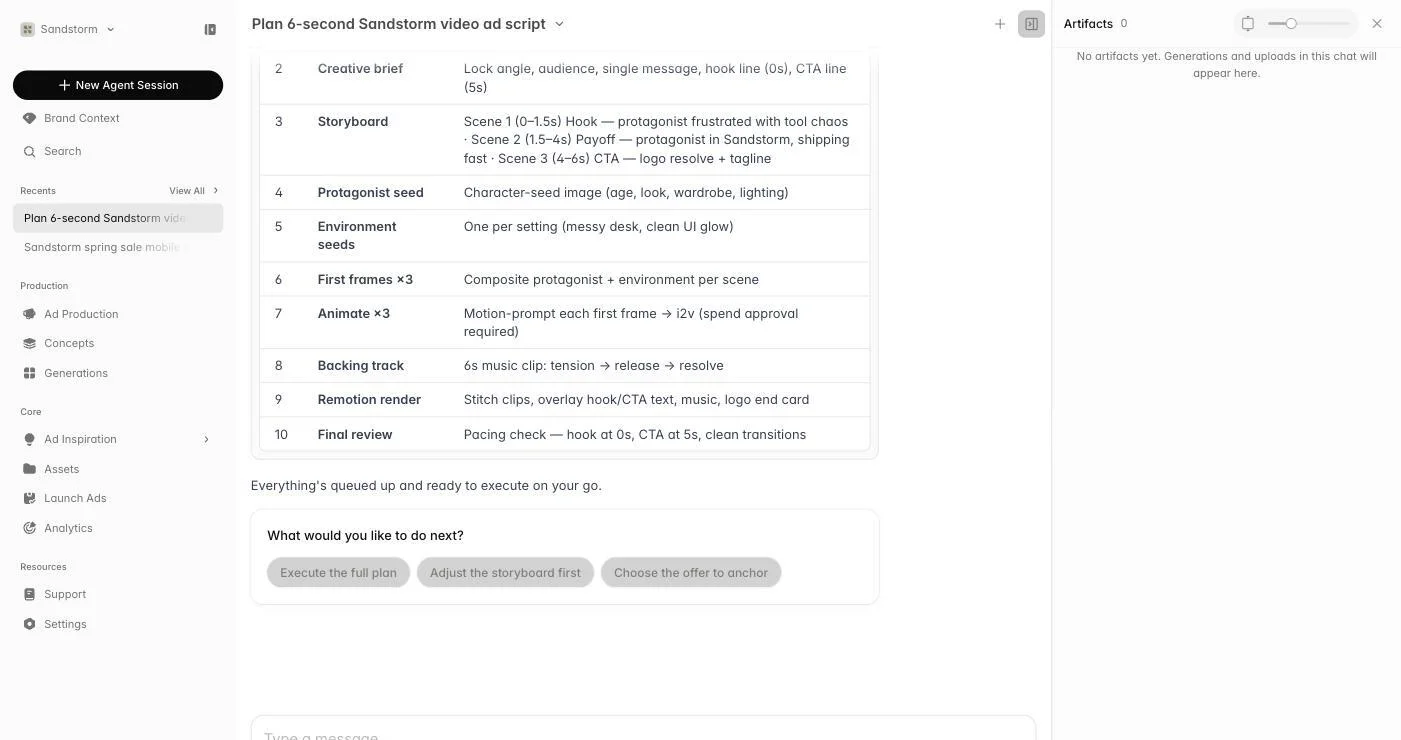
For anything bigger than a single asset, just describe the outcome: 'plan our Black Friday campaign — 3 angles, static and video, 9:16 and 1:1, ready to launch by Nov 15'. The agent breaks the work into a plan with checked-off todos so you can see exactly what it's doing.
Work in parallel
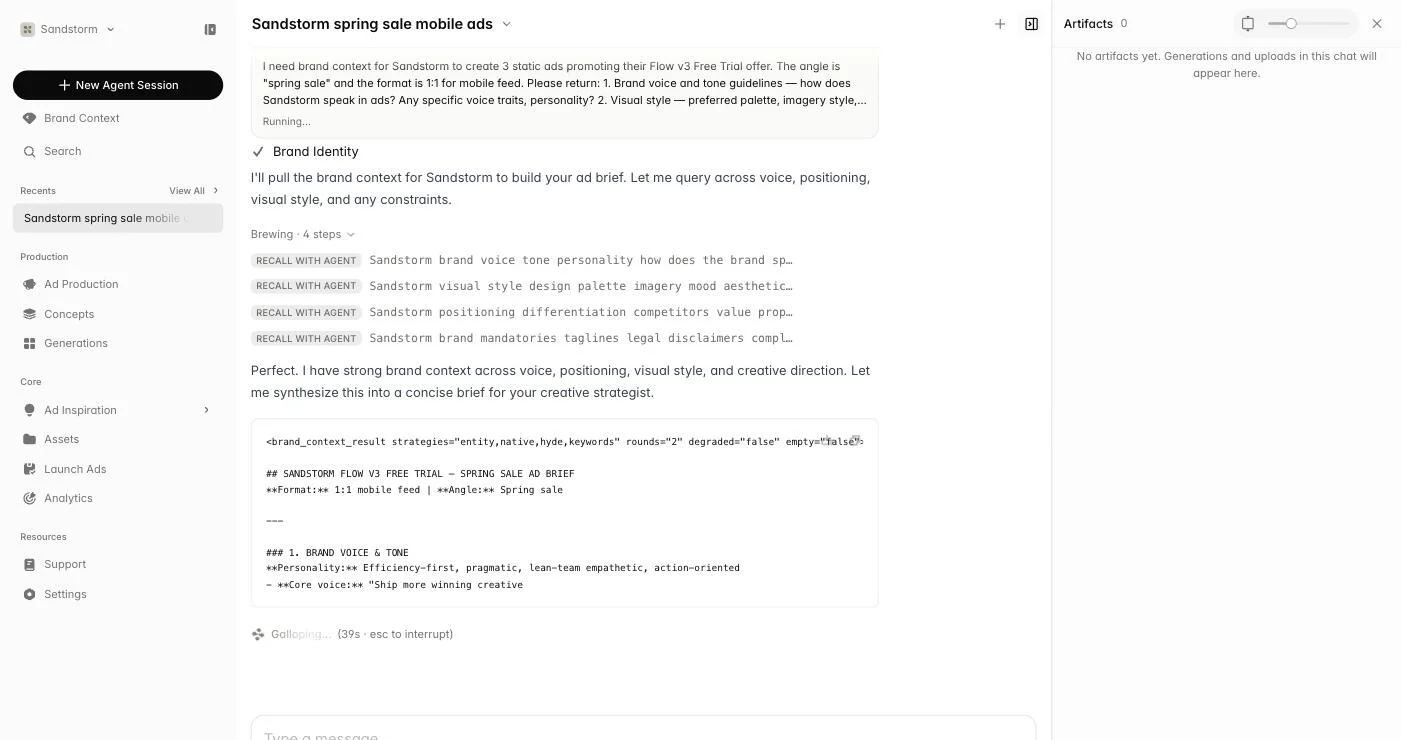
Long-running steps — research three competitors, draft five scripts, render variations — run in the background and report back when they're done. You can keep typing follow-ups, redirect, or pause anything that isn't on track. Each step you can expand to see what was decided and what came back.
Approving cost
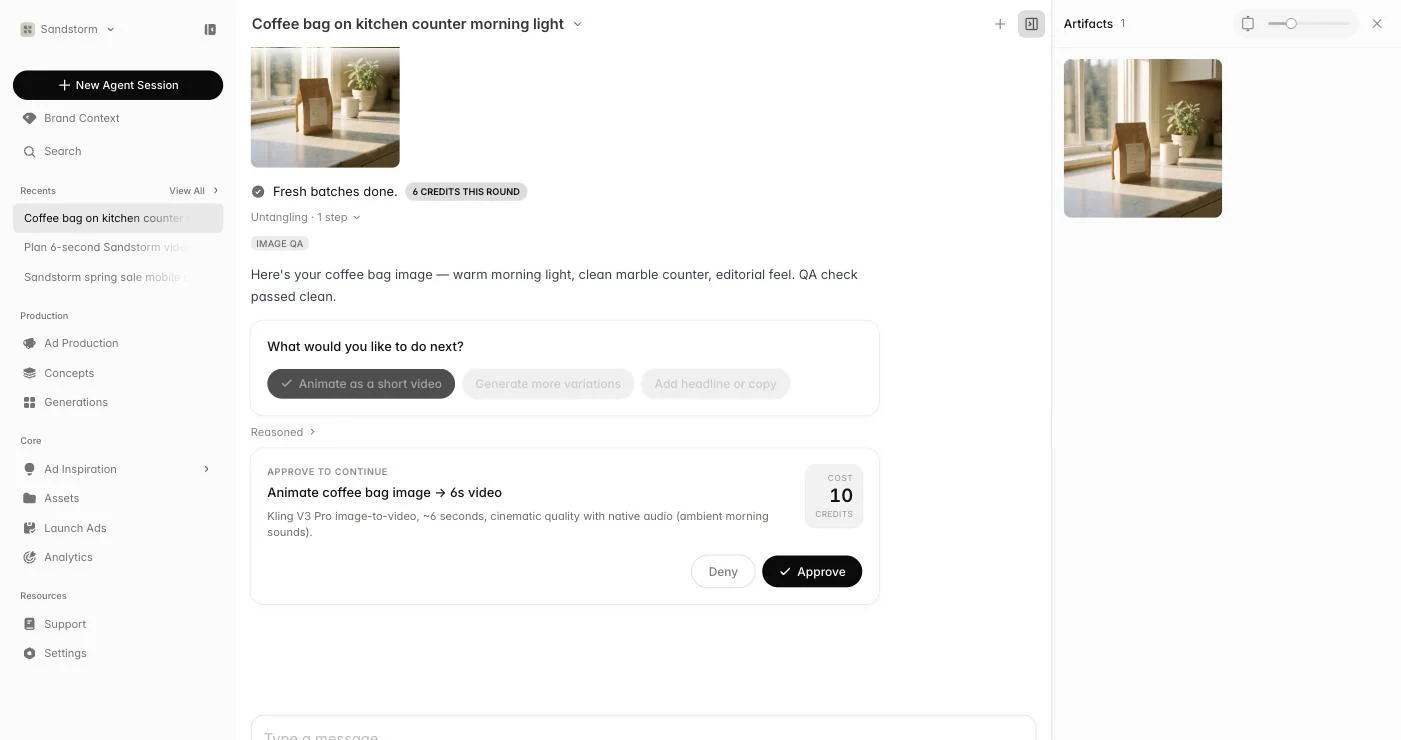
For expensive multi-step jobs, the agent shows a cost-approval card before running. You see the total credit cost up front; approve to proceed or decline to refine the plan first. Nothing expensive ever runs without you saying yes.
Iterating on a plan
Plans are not contracts. Tell the agent to drop a step, add a new angle, swap a format, or restart entirely. The thread keeps the history so you can compare runs and pull pieces from earlier attempts via @ mentions.