Overview
Ad Production is the central hub for creating finished ads. It combines static and video ad creation into one streamlined workflow with team collaboration, batch management, and multi-format output. Organize work into cycles, collaborate with teammates on creative direction, and produce ads at scale.
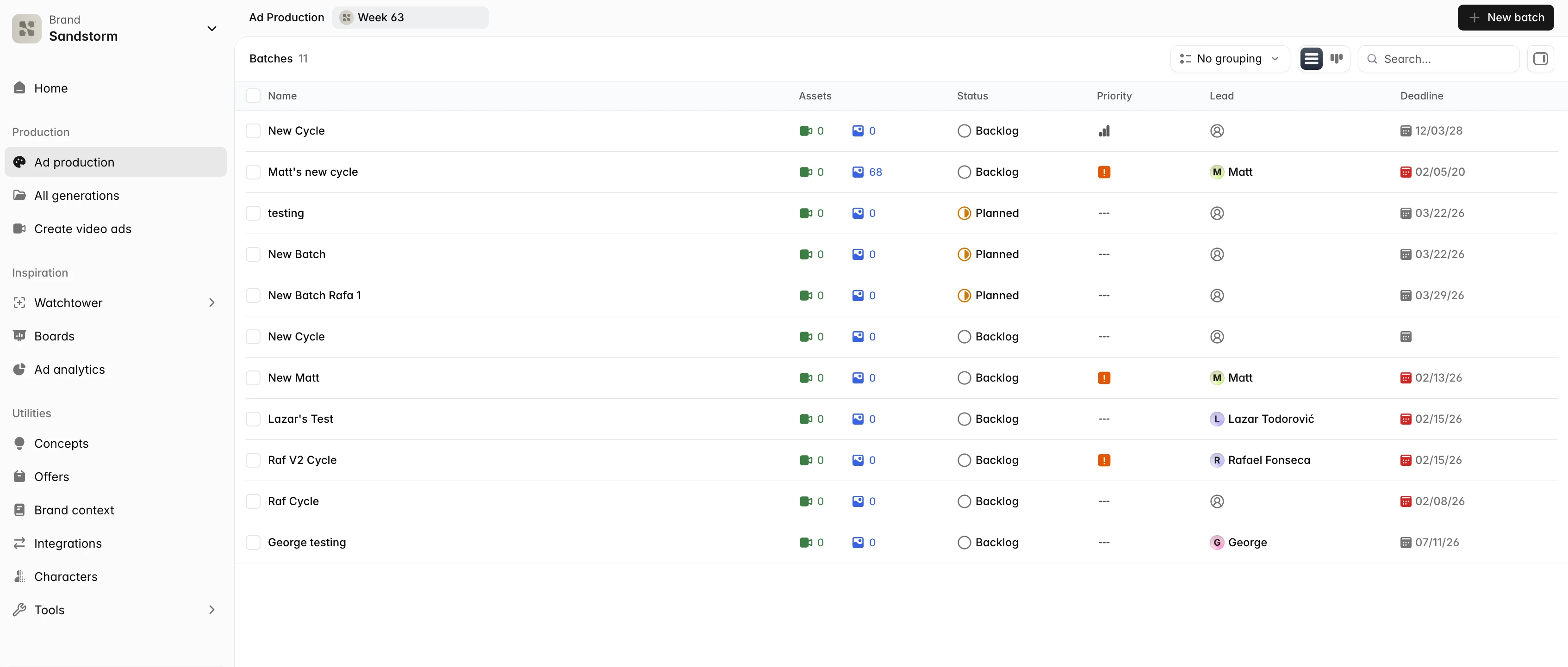 Go to Ad Production
Cycles and the production board
Work is organized into cycles — themed batches of ads that move through a kanban board with phases like Planned, In Progress, In Review, and Done. Switch between kanban (columns by phase) and list view, group by lead, deadline, or priority, and drag cycles between columns as work progresses.
Writing the brief
Click Create to start a new cycle and write a plain-language brief — what you're advertising, the angle, the format mix, the count. Something like '10 static ads for our summer SPF launch, lifestyle look, target 25-35 women' is plenty. Sandstorm parses your intent, asks any clarifying questions, and starts generating concept variations you can accept, reject, or regenerate.
Creating static ads
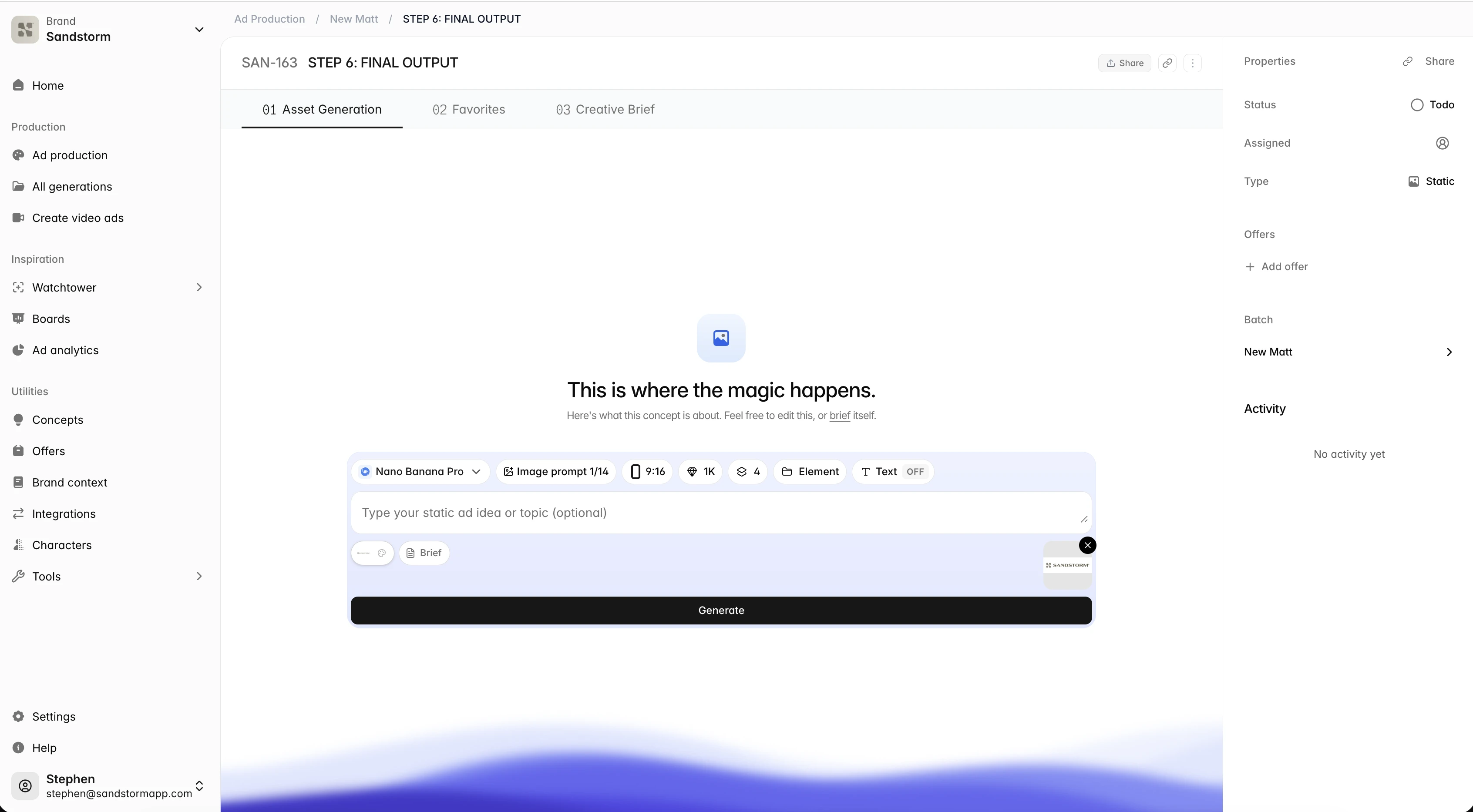
Pick a concept and choose Static. Select the dimensions you want (1080x1080 for feed, 1080x1920 for stories, and so on) and Sandstorm generates multiple design variations. Each variation uses your brand colors, fonts, and logo placement automatically.
Creating video ads
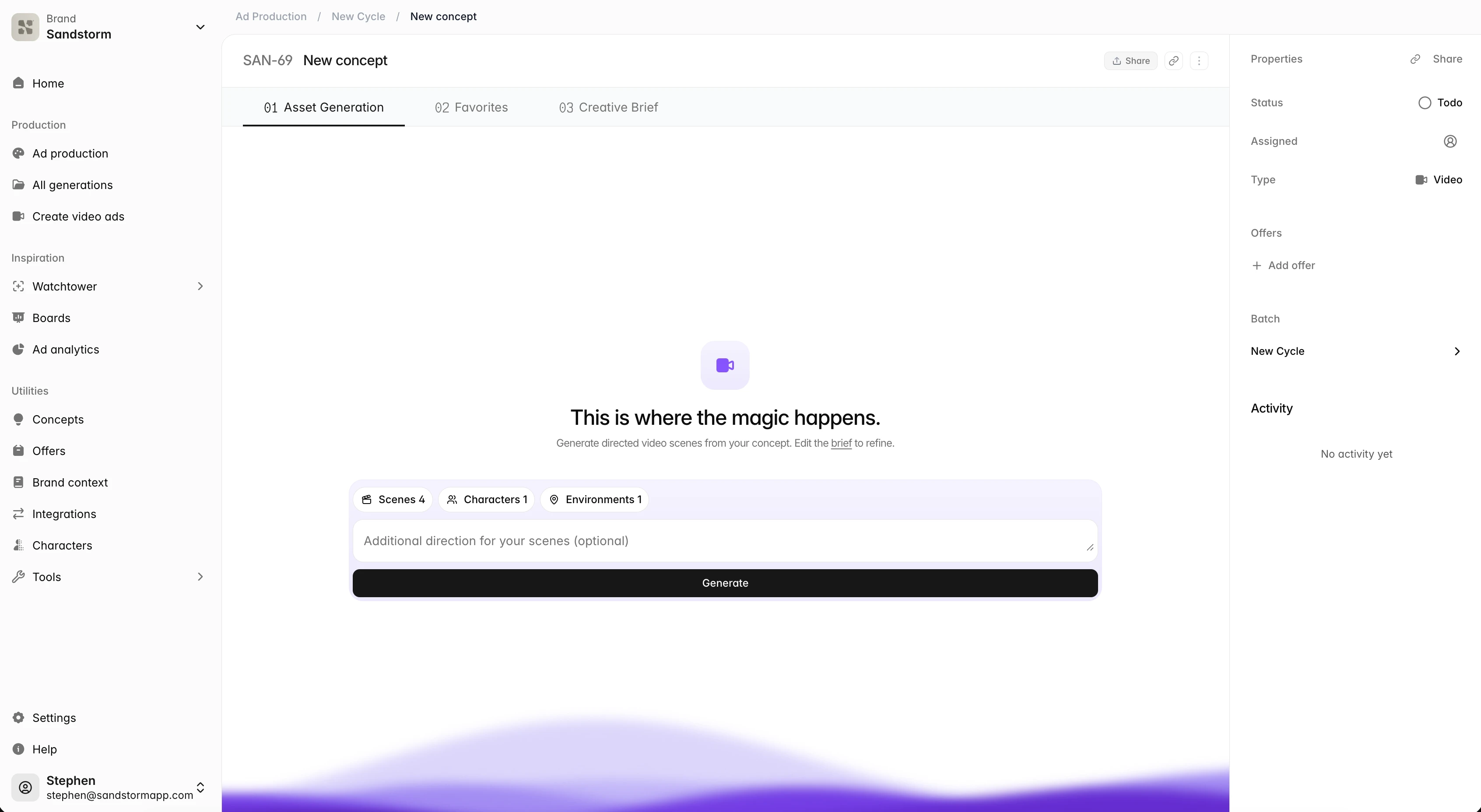
Pick a concept and choose Video. Choose between avatar-led videos (an AI spokesperson reads your script), b-roll compositions, slideshows, or fully scripted productions. Avatar videos shine for testimonials and explainers; slideshows are great for product showcases; b-roll edits work for almost anything.
Team collaboration and activity
Assign a lead to each cycle, leave comments on drafts, and track who's doing what. Each cycle has an activity feed so the team can see who moved what and when. Everyone with access can see the full board, making it easy to coordinate from brief to final render.