Asking for static ads
Start your message with a clear ask and as much context as you can: product, angle, audience, format mix. 'Spin up 6 static ads for our summer SPF launch — lifestyle look, target 25-35 women, half square and half 9:16'. The agent will use your active brand to handle colors, fonts, logo, and tone automatically.
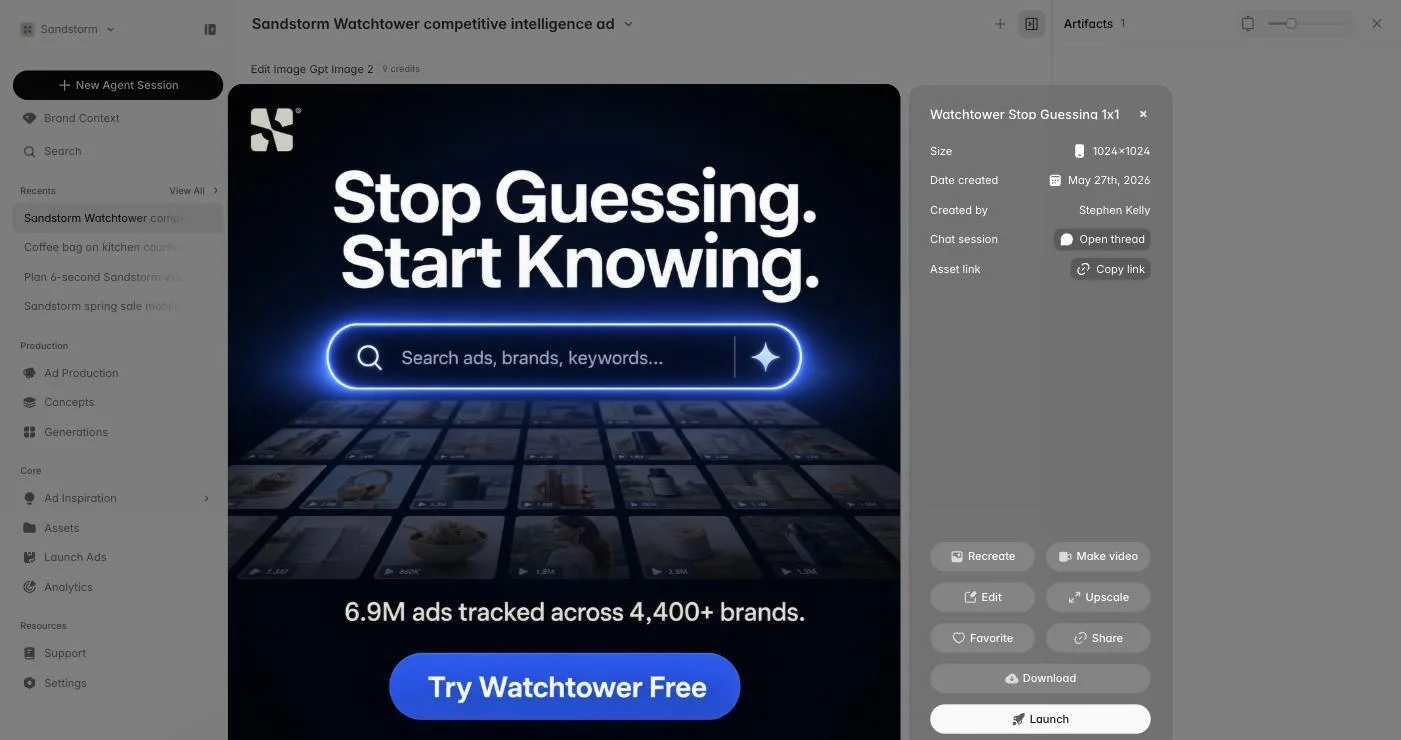
Refining variations
When the first batch comes back, tell the agent what to change: 'these are too busy — strip the secondary text and make the product the hero'. You can ask for the same concept in different sizes, swap the headline, change the CTA, or pull in a specific product shot from your library via @.
Multiple sizes at once
Ask for several formats in one shot — 1080×1080 for feed, 1080×1920 for stories, 1200×628 for display — and the agent generates all of them in parallel so you can review them as a set. Reviewing all formats together catches inconsistencies you'd miss reformatting one at a time later.
Tying in offers and copy
If you have an offer set up in Brand Context, mention it — 'use the Memorial Day 30% offer'. The agent pulls the headline, terms, and any landing page so copy and visuals match the promotion exactly. You can also paste in copy or headline ideas you've already drafted.
Where statics end up
Every static the agent makes also lands in Generations and in your Assets library. Like the ones worth keeping (heart icon on hover) so they're easy to find later, then send them straight to Launch Ads when you're ready to ship.